UX Research
Hijab Alsa
Landing page for Muslim Women’s online shopping site
.jpg)
Landing page for Muslim Women’s online shopping site
*This project is an assignment for a client project at Purwadhika Digital School. The idea was to help small businesses design their landing page using page builder. The client can also easily change the content after the project ends.
UX Researcher in team project
Figma, Brizzy
Responsive Website
2 weeks
Rumah Hijab Alsa is an online fashion store that providing various fashion products for Indonesian Muslim women. They sell their product online on marketplace, and use social media to showcase and promote their product. They also offer a reseller program for hijab products that they produce themselves. The brief of this project was to help the client by creating a landing page that matches the client's brand.
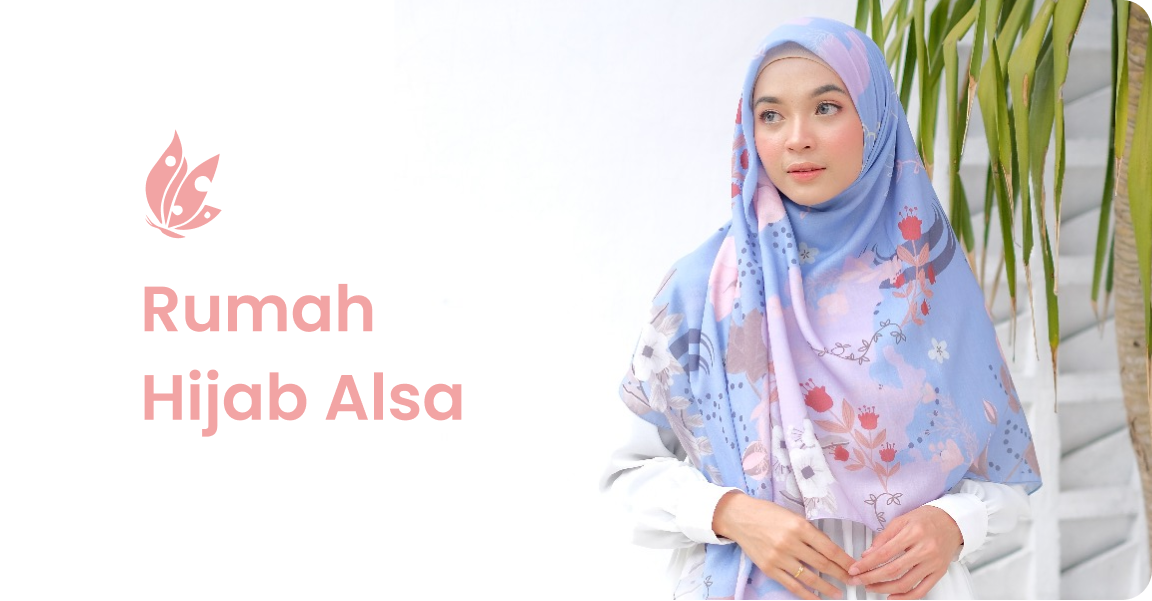
As a brand that has been established since 2016, Hijab Alsa doesn’t have a website for their business. Their existing brand identity was also considered inconsistent and doesn’t have a strong brand identity yet. Their reseller program was also unnoticeable.
“Build a landing page website that can increase conversion rate and improve brand awareness by clearly explaining why the products are unique, trustworthy and valuable”
Click here to see the live site
.png)

Lorem ipsum dolor sit amet, consectetur adipiscing elit. Suspendisse varius enim in eros elementum tristique. Duis cursus, mi quis viverra ornare, eros dolor interdum nulla, ut commodo diam libero vitae erat.
Lorem ipsum dolor sit amet, consectetur adipiscing elit. Suspendisse varius enim in eros elementum tristique. Duis cursus, mi quis viverra ornare, eros dolor interdum nulla, ut commodo diam libero vitae erat.
Lorem ipsum dolor sit amet, consectetur adipiscing elit. Suspendisse varius enim in eros elementum tristique. Duis cursus, mi quis viverra ornare, eros dolor interdum nulla, ut commodo diam libero vitae erat.
Lorem ipsum dolor sit amet, consectetur adipiscing elit. Suspendisse varius enim in eros elementum tristique. Duis cursus, mi quis viverra ornare, eros dolor interdum nulla, ut commodo diam libero vitae erat.
Lorem ipsum dolor sit amet, consectetur adipiscing elit. Suspendisse varius enim in eros elementum tristique. Duis cursus, mi quis viverra ornare, eros dolor interdum nulla, ut commodo diam libero vitae erat. Aenean faucibus nibh et justo cursus id rutrum lorem imperdiet. Nunc ut sem vitae risus tristique posuere.
Lorem ipsum dolor sit amet, consectetur adipiscing elit. Suspendisse varius enim in eros elementum tristique. Duis cursus, mi quis viverra ornare, eros dolor interdum nulla, ut commodo diam libero vitae erat. Aenean faucibus nibh et justo cursus id rutrum lorem imperdiet. Nunc ut sem vitae risus tristique posuere.
Lorem ipsum dolor sit amet, consectetur adipiscing elit. Suspendisse varius enim in eros elementum tristique. Duis cursus, mi quis viverra ornare, eros dolor interdum nulla, ut commodo diam libero vitae erat. Aenean faucibus nibh et justo cursus id rutrum lorem imperdiet. Nunc ut sem vitae risus tristique posuere.


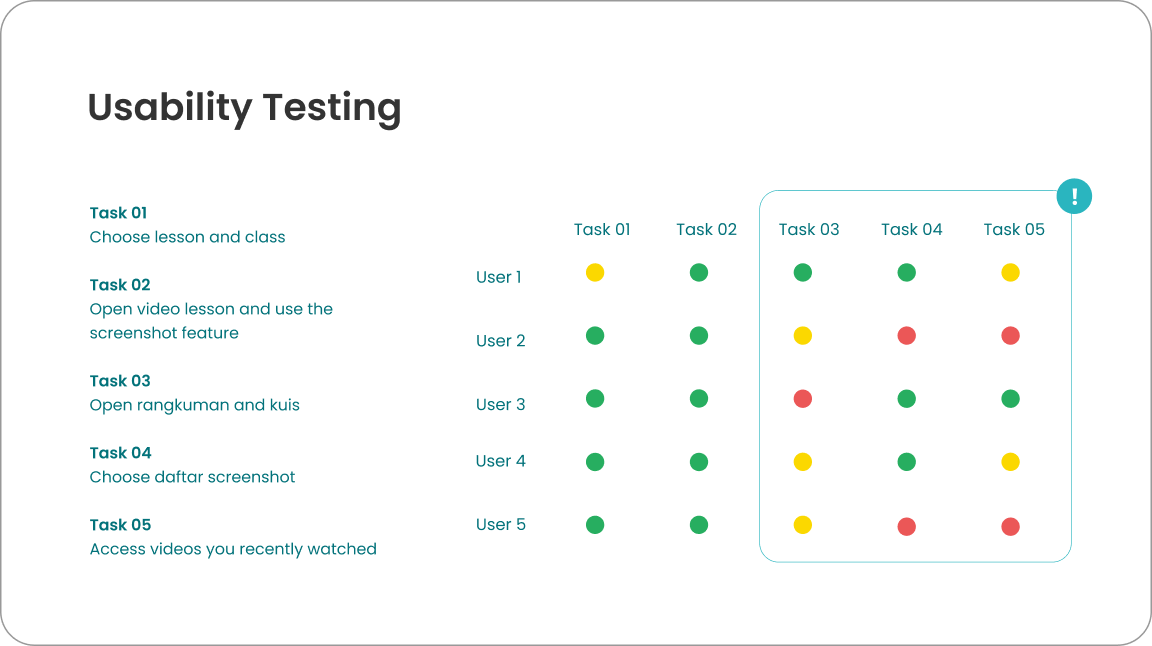
In this research, I focused on understanding user behavior when accessing subject materials in online learning platform and when using Ruangguru app. I do online interviews, usability testing, comparative research and online surveys for data collection. The participant criteria for this research are students who participate in online learning, this including new users and active users of Ruangguru. The total respondent of online surveys was 20 respondents and 5 users for usability testing with online interviews.
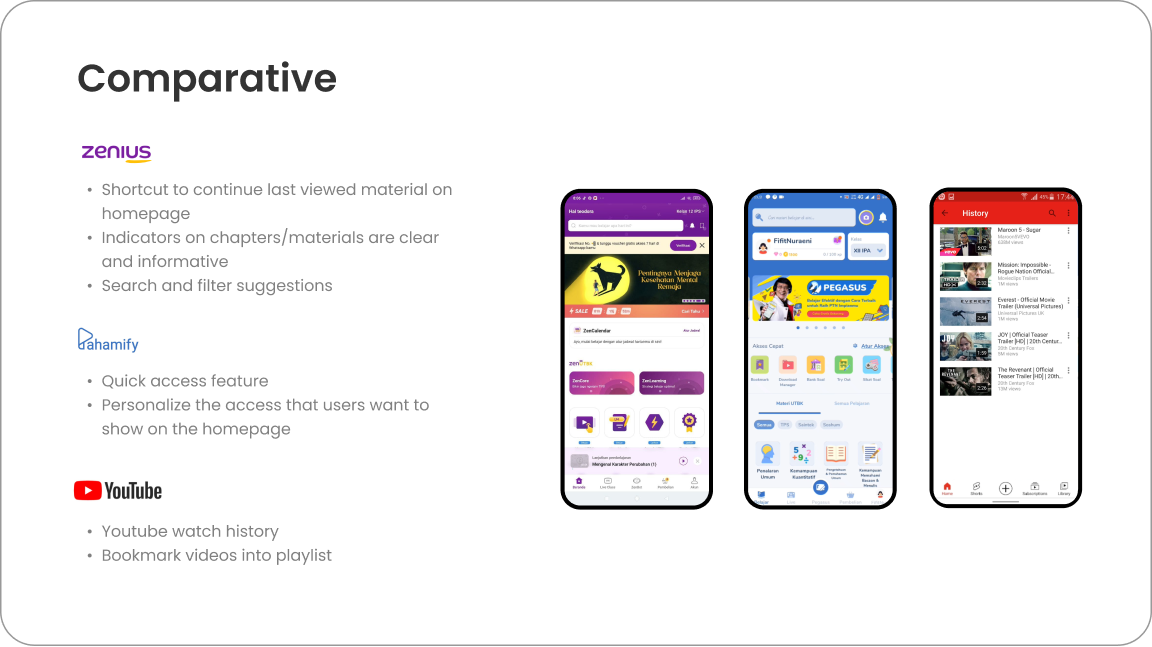
I also do competitive analysis to get more insights about other products. It helps me to get the idea of different features and layout that can be implement for any design improvement.
The next step is to classify insights from users into thematic groupings.
.png)
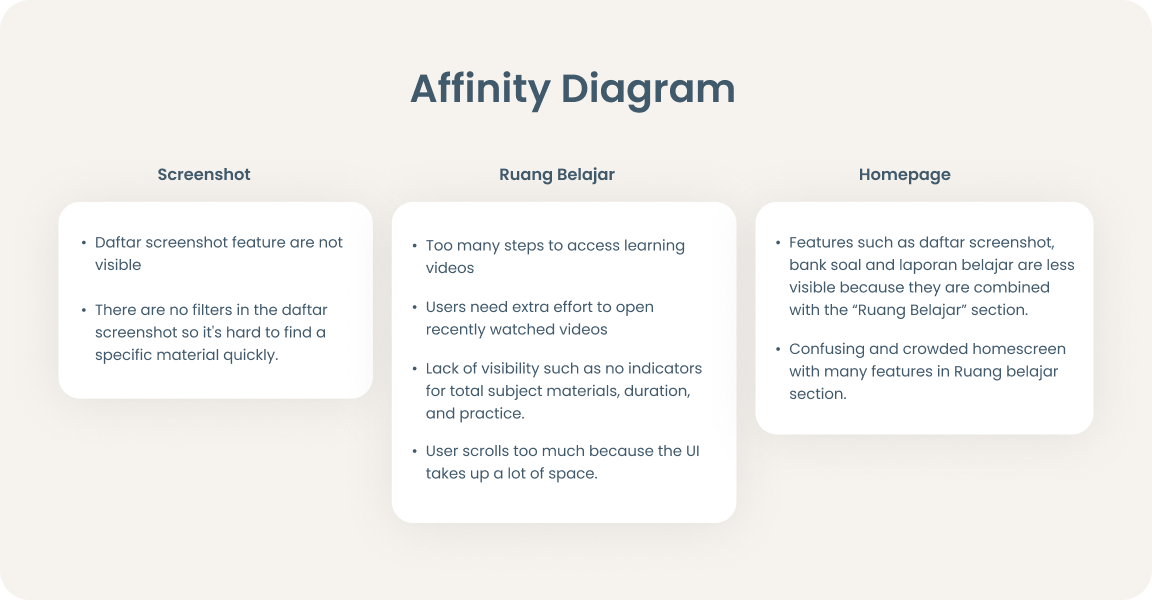
After collecting the data, I’m grouping user’s pain points into Affinity Diagrams to get clearer problems from each category. From those pain points, I selected problems that I wanted to solve. Then, I came up with design improvements and new features solutions.
I recorded interviews and got insights and problems that user faced while using app. then i compiled it and summed it up using affinity diagram to see which problems came up frequently.

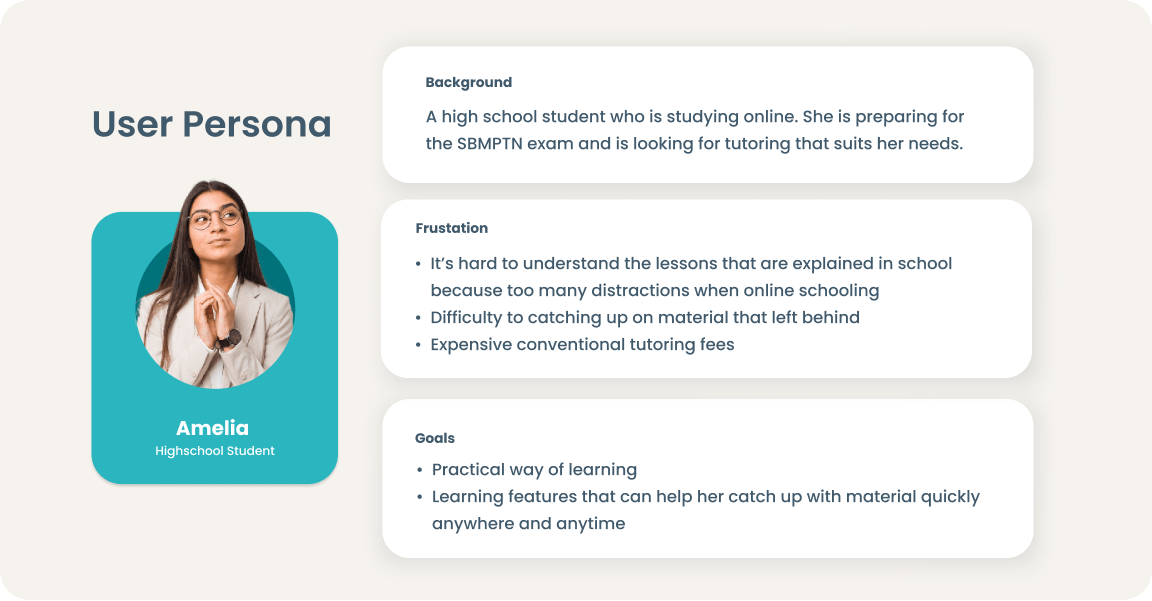
I created user persona based on the interview results. This persona will contain the details of the user's goals, background, and frustrations.
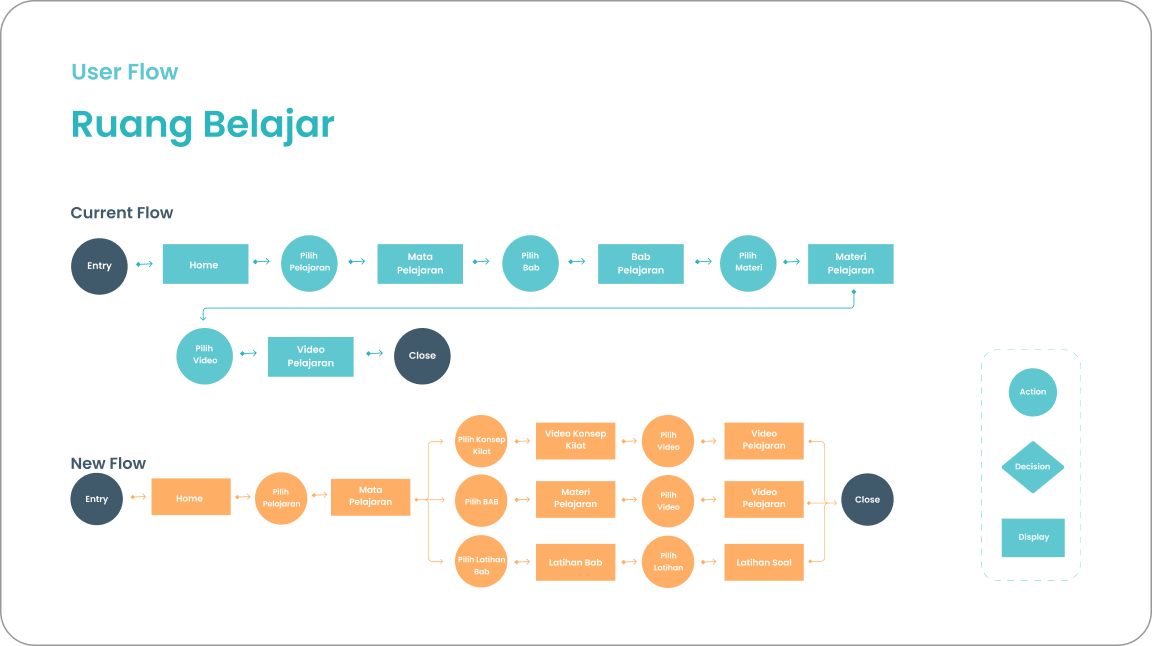
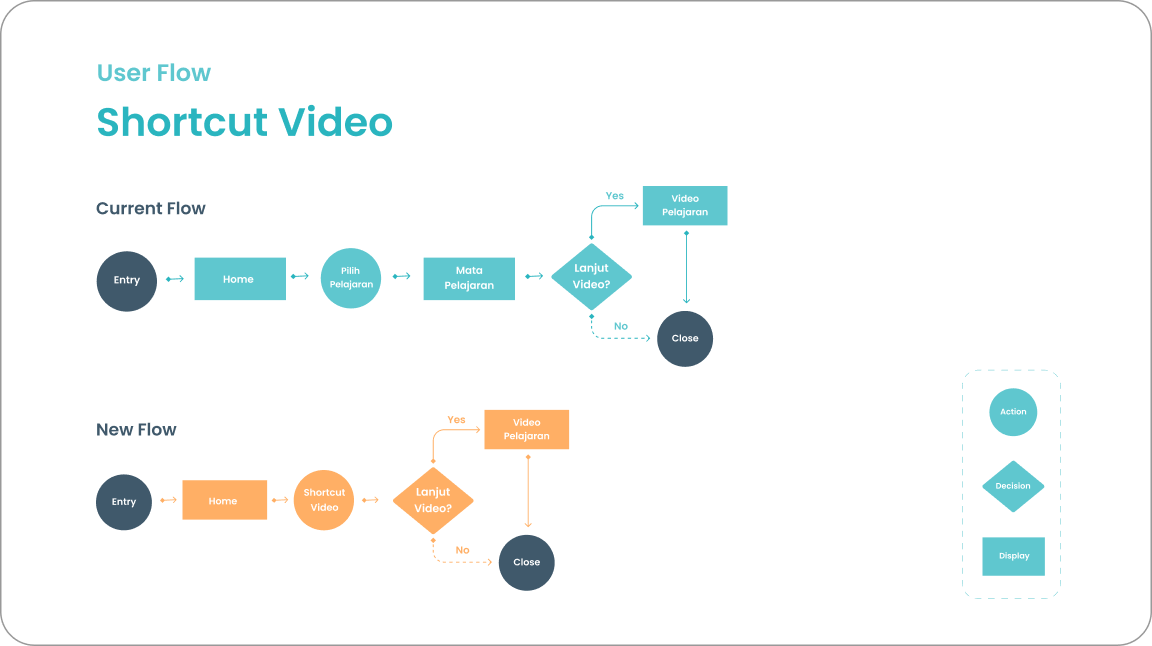
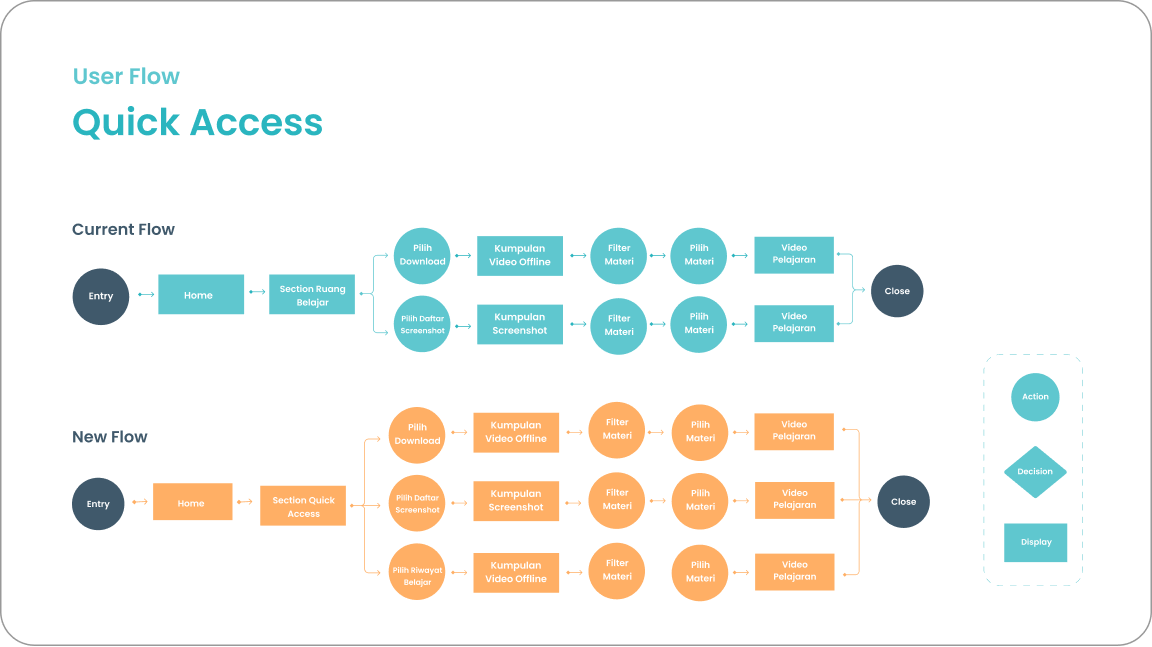
In this stage, I define the user’s journey when accessing learning materials and exploring Ruang Belajar features. I added the current flow and new flow of Ruang Belajar for comparison.
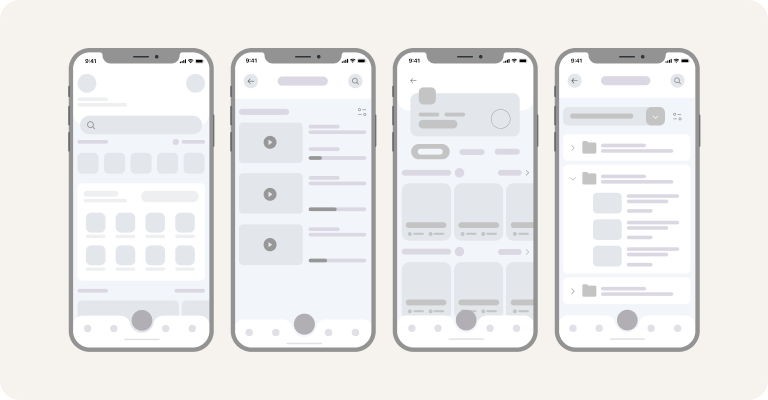
I spent several hours sketching loose boxes which will later turn into a more refined design. Once I'm done with the sketch, I had a basic idea of what the final screens will look like and give it more clarity by digitalizing the wireframes.
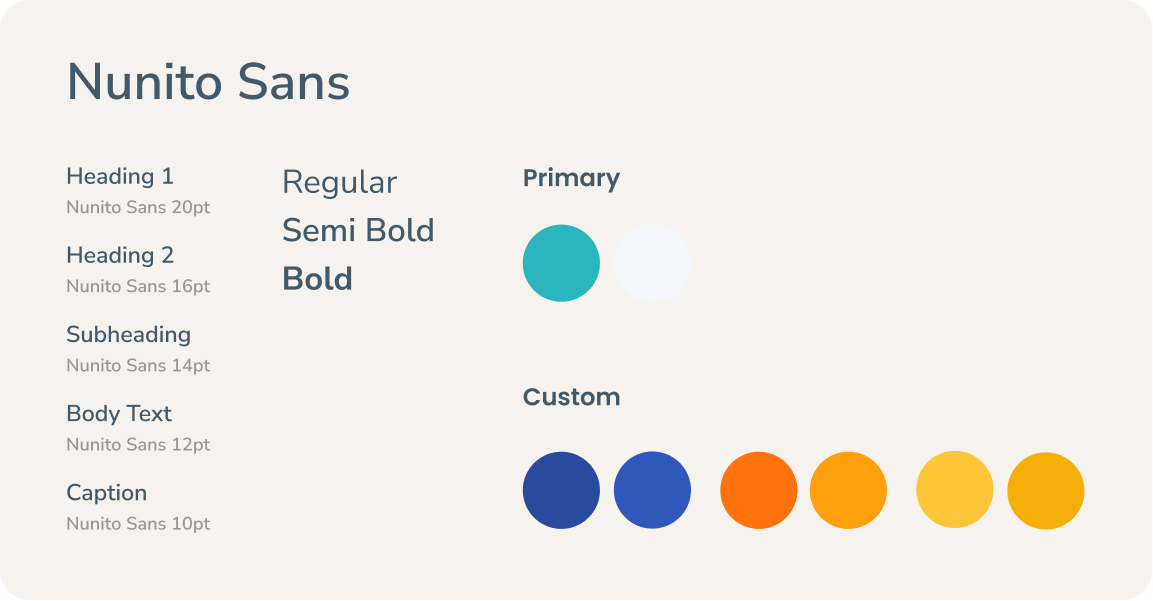
After analyzing the style and typography that the app is currently using, I chose a similar font and color that represents Ruangguru.
.png)
After prototyping, I did usability testing to get feedback from users. Then, I’m doing iteration to finalize the design.
.png)
.png)
We did 2 sessions of interviews with the founder to get a better understanding about the brand direction. Starting with understanding the brand, we ran a discovery discussion to find the possible solutions.
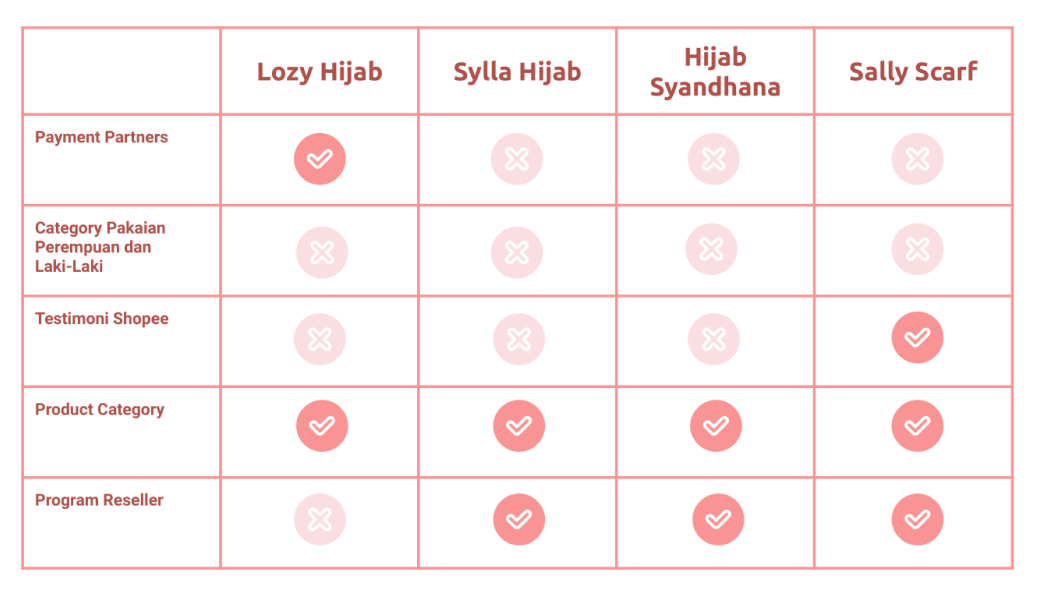
The next step is looking at the direct competitors of Hijab Alsa. I did research to compare 4 websites that provide similar products & services. I tried to compare the overall user experience and the features provided.
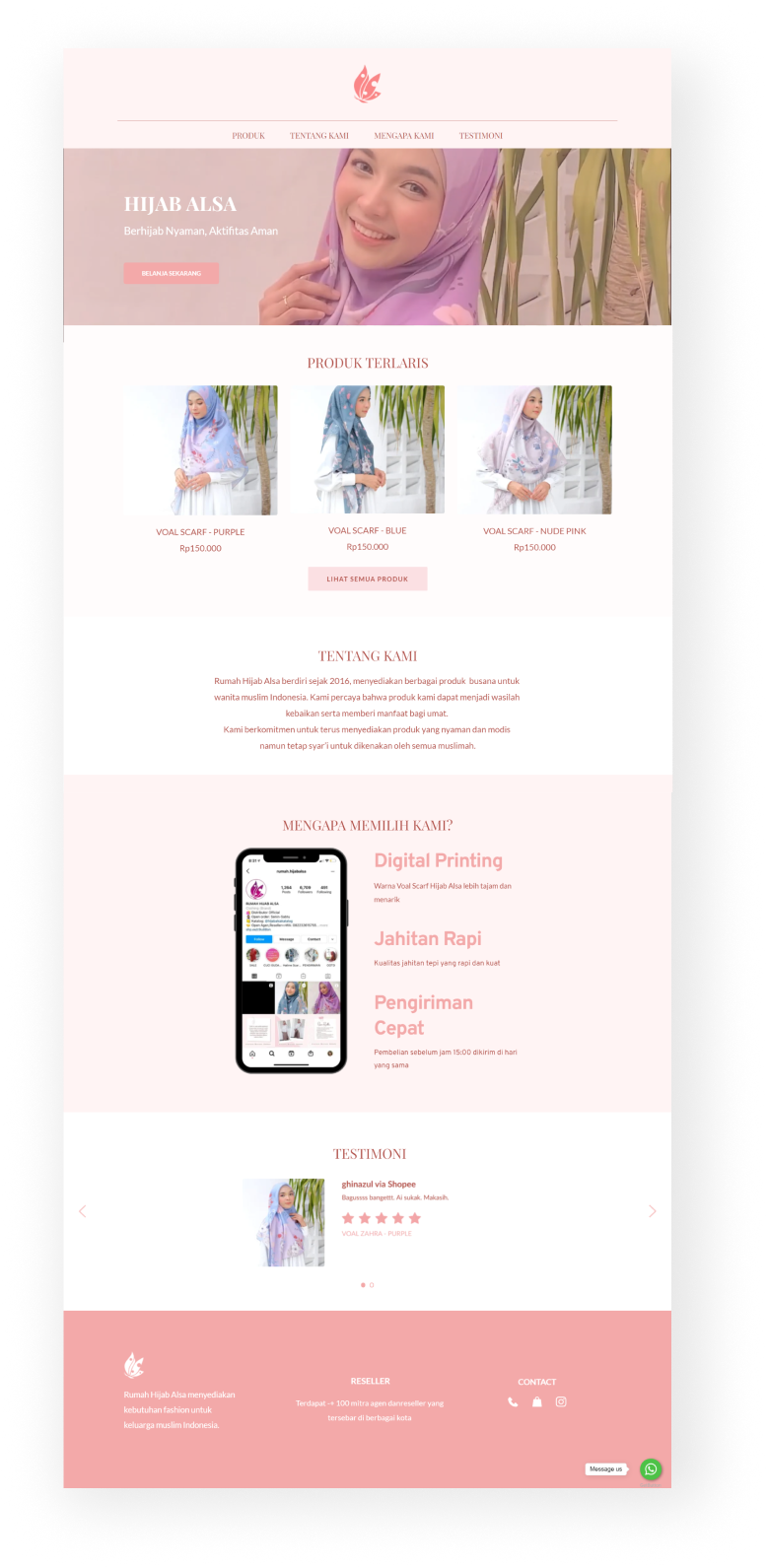
We wanted to highlight the best-selling products in the heroes section with a clear CTA that can be integrated directly into marketplace. Testimonials are also included to convince the users. We'd also want to include some information about brand stories and other platforms that users can reach.
After gaining more information about the brand and the competitors, we decided to build style guideline. We choose colors that represent Hijab Alsa, and pick the color from the brand logo with a touch of red to give contrast. For heading text, we use serif fonts to give it a premium and feminine feel.
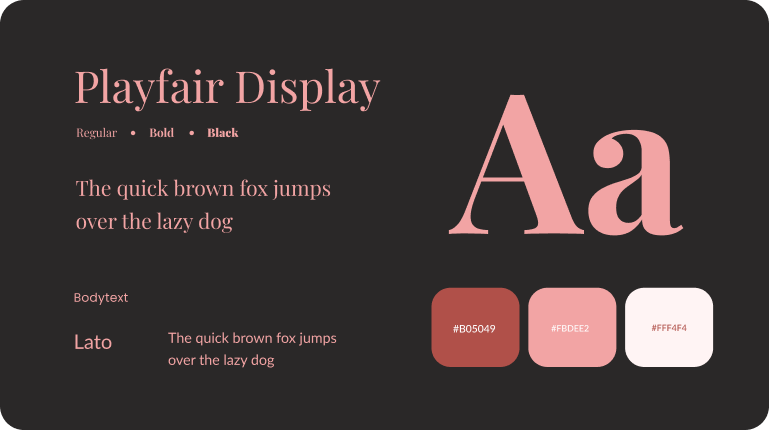
We use figma to create style guidelines and organize the hi-fi design with collaborative process. We agreed that the page structure should contain navigation menu, hero section products section, about the brand, value proposition statement, testimonials and footers. We also consider the limitations that we can implement when designing in page builder.
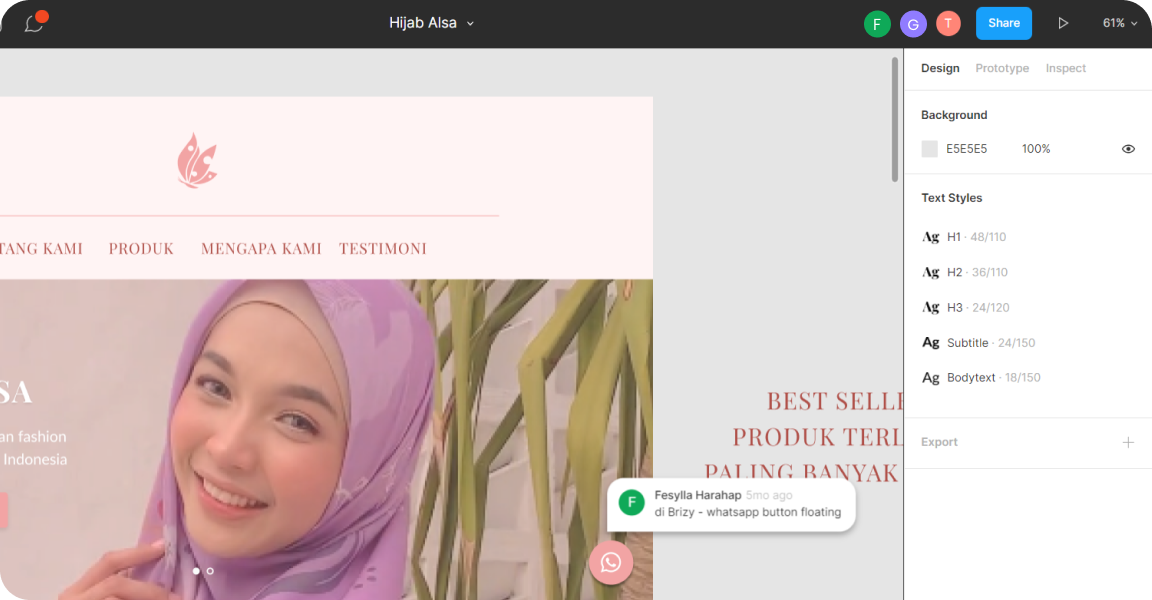
In this step, the UI Designer implements the final design into brizzy page builder and launch the website. We also make sure that all information is included, well-designed and responsive.
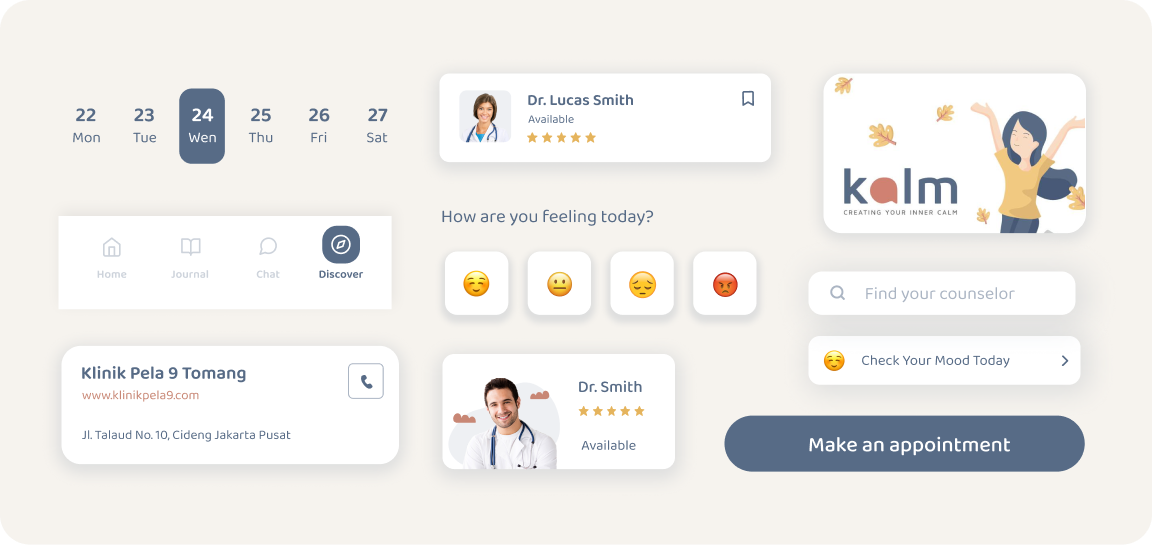
To start with, I went through a lot of inspiration that related to this app. When it comes to visuals, I try to provide a minimal and clean look that will enhance usability. The visual design focus on heart-warming, and calm through employment of soft colors (the brand colors), organic shape, and clean design element.
.png)
First I observing the design system of the current app from typeface, color, and other visual element they currently use. Then, I compile it into style guideline that I would use in the design process.
.png)
I gain some inspiration around design pattern like UI element, UI Illustration, font size and spacing. Then I designed the existing components to be more consistent and sustainable design system.
.png)

.png)
.svg)
